All of the domains registered with us/transferred to us are with Enabled Auto-Renewal by default.
This means that an Invoice for its renewal will be issued and charged on the Card saved on file, thus automatically renewing your domain for the next period automatically.
If you no longer need a domain name and want to Cancel , disable its auto-renewal, here is how it is done.
You log in to your client area at https://www.kiwidata.nz/clients and follow the below path:
> Domains
> My Domains
> Status Click On green Active
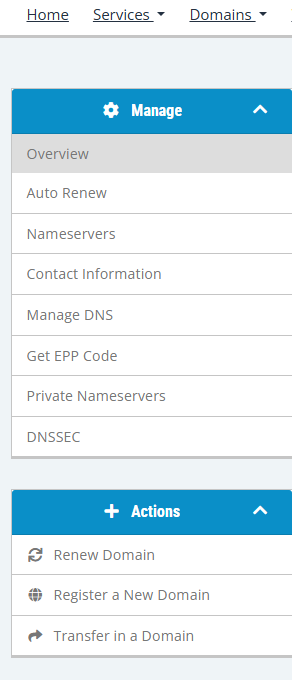
> Manage on the left
> Auto-Renew
You will see the option to either Disable it or Enable it, depending on what is its state at the moment.
Note, that once the auto-renewal of your domain is disabled, it will not even generate Renewal Invoice and will simply expire at the end of its Billing Cycle. Should you change your mind about it, you can switch the auto-renewal back on at any time.